
On this page
Start with what you actually need to do on your iPhone
If you want to keep using Clash-style configurations, consider Stash. If you only need to import nodes and set up basic routing, consider Shadowrocket. Choose Surge when debugging requests, scripts, and modules is part of your daily work.
You should also compare configuration compatibility, rule editing, local-network sharing, purchase options, and migration effort. All three apps can proxy traffic, but their workflows differ.
Clear recommendation
| Primary need | Consider first | Poor fit when |
|---|---|---|
| Keep using Clash-style policy groups and rules | Stash | It may feel excessive if you use only a single node and never maintain rules |
| Import common node formats, use basic routing, and keep costs down | Shadowrocket | It is less consistent when you need the complete Surge module workflow or team-based debugging |
| Network debugging, scripts, modules, and MITM are everyday work | Surge | The cost and learning curve are too high if you only want to update a subscription and switch nodes |
A “supports Clash” label does not mean your existing configuration will import as-is
Stash is officially positioned as bringing Clash Premium-style capabilities to Apple platforms, so users who already organize configurations with proxy-groups, rules, and Rule Provider can usually preserve that approach more easily. You should still inspect the actual import result: scripts, TUN, DNS, and some newer Mihomo fields may not map one-to-one.
Shadowrocket is a standalone rule-based proxy tool. Its official App Store description lists domain, CIDR, and GeoIP rules, remote rule files, DNS, script filtering, and multi-hop forwarding, but it is not a Mihomo GUI. Even if the nodes import successfully, your original Clash policy groups and overrides may not retain the same structure.
Surge uses its own Profile and Module system. A Module overrides the Profile at a higher priority, which is useful for maintaining reviewable local patches. If all you have is a Clash subscription and you do not plan to rebuild your rules, Surge's larger feature set does not automatically make it the easiest migration.
What really separates these apps is what you need to change every day
Set the initial import aside and think about which screen you will open most often afterward. That answer usually says more about long-term fit than a feature checklist.
- Stash
- Best suited to choosing and overriding Clash-style policy groups and maintaining rule sets; also available on iOS, tvOS, macOS, and visionOS.
- Shadowrocket
- Well suited to quickly adding common nodes and rules, with support for iPhone, iPad, Mac, and Apple TV; check the App Store listing for current features and regional availability.
- Surge
- Well suited to inspecting connections, maintaining modules, running scripts, and debugging HTTP traffic. Its official documentation provides a complete framework for Module, MITM, and scripts.
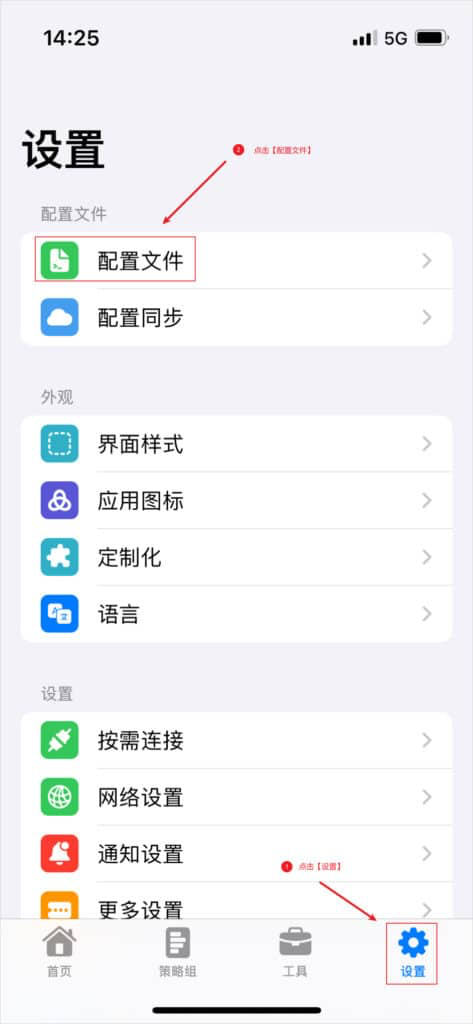
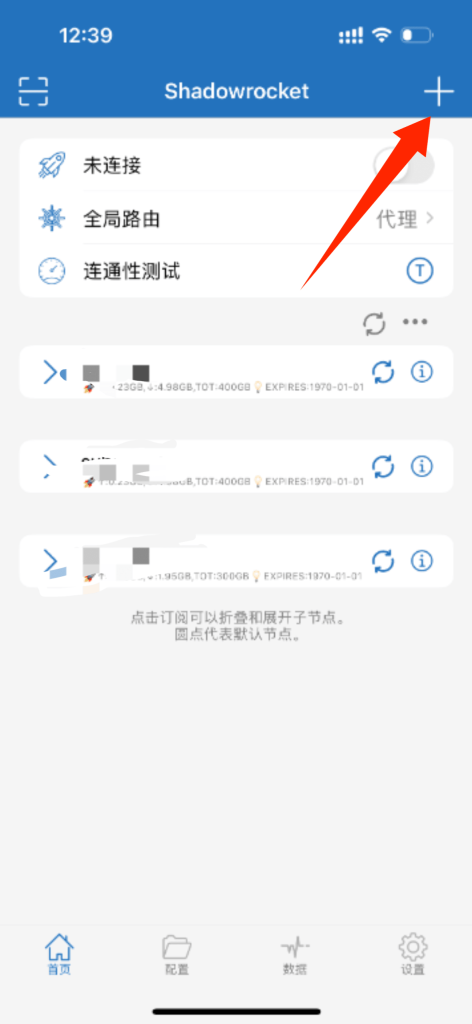
If you need to share access with devices on your local network, first check for a clearly documented proxy endpoint
Local-network sharing methods
| App | Confirmed method | What to consider |
|---|---|---|
| Stash | Official documentation confirms that iOS can provide HTTP and SOCKS proxies; after enabling “Allow LAN Connections,” use the phone's local-network IP and port 7890 | This is manual proxy sharing; it does not turn the iPhone into a full transparent gateway |
| Shadowrocket | The App Store description covers on-device traffic and multi-hop forwarding, but does not present local-network sharing as a primary feature | If the current version has no clearly labeled shared-listener setting, do not rely on outdated third-party screenshots |
| Surge | The official architecture documentation explains that iOS can use a local proxy service to handle requests from another device | The target device still needs a manually configured proxy; the exact listening address and permissions depend on the current Profile and version |
Whichever app you use, first grant iOS “Local Network” permission and connect both devices to the same Wi-Fi network or personal hotspot. Open a test page on the second device, then confirm in the iPhone request log that it followed the expected policy. Turn off the listener when you are done, and never expose an unauthenticated proxy on public Wi-Fi.
Enable scripts and MITM only for a specific purpose
All three tools may support rewrites, scripts, or HTTPS decryption, but ordinary subscription-based connections do not require a root certificate. MITM causes the app to re-sign certificates locally, and some apps with certificate pinning will reject the connection outright.
Before installing a Module or remote script, read the source and confirm which hosts, request headers, and response content it changes. Surge's official documentation explicitly states that a Module can override Rule, Script, URL Rewrite, and MITM settings. That power is exactly why you should never treat an untrusted module like a theme pack and import it casually.
Open the current App Store listing before you pay
Prices, regional availability, Family Sharing, and supported devices can all change. The current US Shadowrocket App Store listing shows it as a standalone paid app and clearly states that no proxy service is included. For Stash and Surge, likewise check the store listing for the purchasing account's region and the official documentation.
If you may later use it on Apple TV, Mac, or a family member's device, first confirm whether the same purchase can download it, how configurations sync, and whether scripts and certificates migrate with it. Include those costs to determine the real price.
When migrating, move only your subscriptions, rules, and settings you genuinely need
Once you decide to switch, do not move every cache and certificate from the old app. Establish a minimal connection in the new app first, then restore only the content you actually maintain, one item at a time.
Migration order
- Save the original subscription address and the names of currently working policy groups
- List the rules, modules, or scripts you wrote yourself; do not copy unknown caches
- In the first round, verify only the subscription, a fixed node, lock-screen behavior, and network switching
- Rebuild advanced rules one at a time, checking the connection after each addition
- Wait until the new app has been stable for several days before deleting the old configuration and certificates